NoteHop turns sheet music into a gentle waterfall of notes that land right on the keys. It waits while you learn, celebrates when you land the timing, and shows exactly which bars need more care.

Built with piano teachers: every feature maps to how students actually learn a new piece.
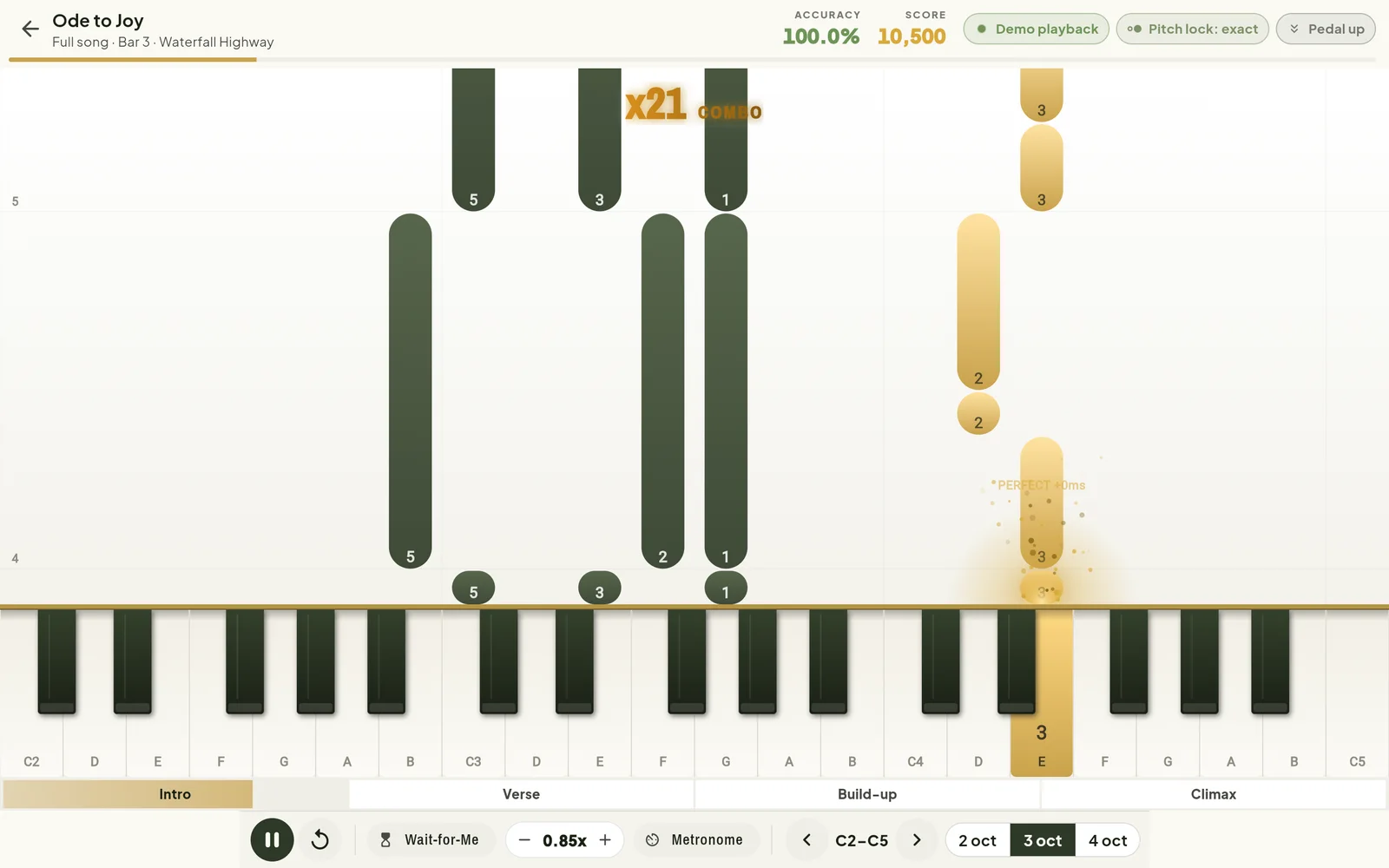
Notes fall straight onto the keys they belong to, coloured by hand: gold for right, olive for left.
The music pauses until you find the right notes, so you learn the shapes before you chase the tempo.
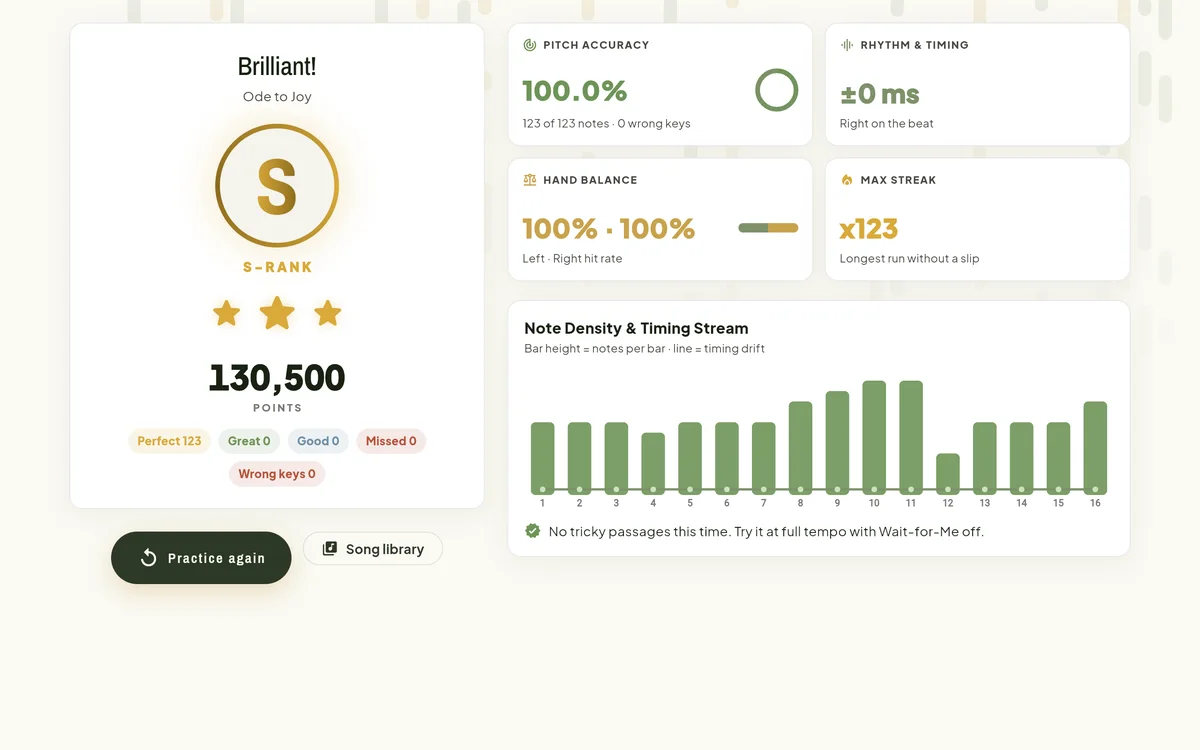
Every note is judged Perfect, Great or Good, down to the millisecond, with a splash of light when you land it.
The finger to use (1 to 5) is printed on each note and on the key itself.
Tap Intro, Verse, Build-up or Climax under the keyboard to drill just that part.
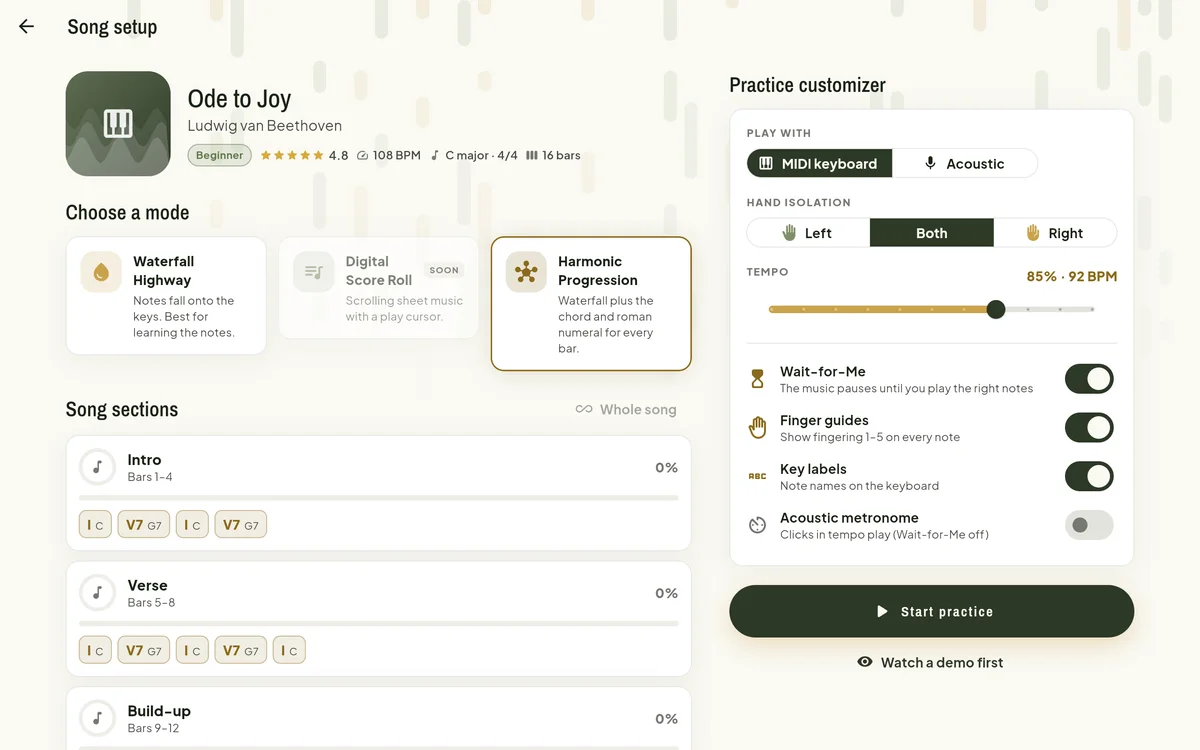
See the chord and its Roman numeral for every bar, so you understand what you're playing.
Practice from 50% to 100% tempo and nudge it up as you get comfortable.
Section mastery, streaks and XP, saved to your account when you sign in with Google.

Plug a MIDI keyboard into USB, or pair it over Bluetooth, then open NoteHop in Chrome or Edge. The status pill turns green when it's connected.
Choose a song from the library, pick Waterfall or Harmony, choose your hands and tempo, and turn on Wait-for-Me for your first tries.
Play along as the notes land. Your results show which bars were tricky, so you can loop just those until they're smooth.
Short, practical guides from setup to practice routines.
USB and Bluetooth MIDI, supported browsers, and what to do if it isn't detected.
Read guide 02A walkthrough of the library, song setup and the practice screen.
Read guide 03When to let the music wait for you, and when to play in time.
Read guide 04Use the section bar and the results screen to fix the hard parts fast.
Read guide 05What rank, accuracy, timing and hand balance mean, and how to act on them.
Read guide 06A teacher-approved way to learn a new piece in short daily sessions.
Read guideFor the full experience, yes: any keyboard with USB-MIDI or Bluetooth MIDI works. Without one, open a song and choose "Watch a demo first" to see how it plays.
Chrome and Edge on Windows, macOS, ChromeOS and Android support MIDI keyboards in the browser. Safari and Firefox can open the app, but they can't read a MIDI keyboard yet.
Listening through the microphone is on the way. For now, NoteHop needs a digital keyboard with MIDI.
Yes. Start with Ode to Joy at 60% tempo with Wait-for-Me on and finger guides showing. Turn the help off as you grow.
Yes. Sign in with Google and your section mastery, streak, XP and results are saved to your account and follow you across devices. Without an account, progress stays in this browser.